Your folders as a gallery
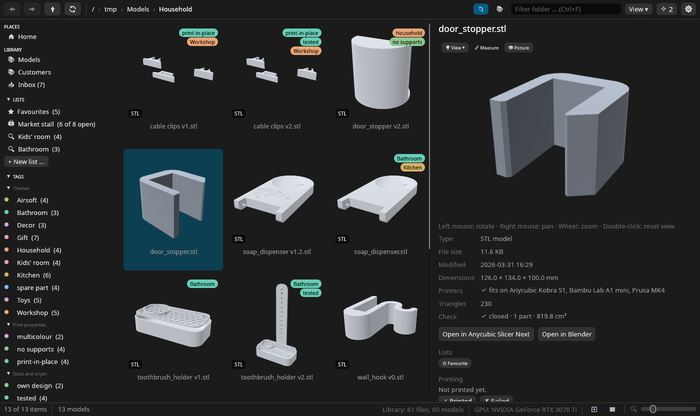
Libraries, lists and tags sit on the left, the pictures in the middle, the model and its facts on the right. Tiles carry your tags, folders show a mosaic of what is inside them, and a sortable list view is one click away.
 Meshgrove
A fast, native gallery for your 3D-print files.
Meshgrove shows every STL, 3MF, STEP, OBJ, glTF and G-code file in your folders as a picture, so you find the model without opening the slicer. It reads your folders where they are and never moves, copies or renames a thing.
Version 0.6.0, released 26 October 2026. Free and open source under the GPL.
 Meshgrove
Anyone who prints a lot ends up with folders like this one. The file manager shows the same grey icon for every file, so you open model after model in the slicer until you find the right one.
Meshgrove renders a preview of every file, including the models inside ZIP, 7z and RAR packs and the plate pictures your slicer saved in a 3MF. Body1.stl was the door stopper.
The real app, recorded on Linux with our own models. The sound starts when you press play.
Libraries, lists and tags sit on the left, the pictures in the middle, the model and its facts on the right. Tiles carry your tags, folders show a mosaic of what is inside them, and a sortable list view is one click away.
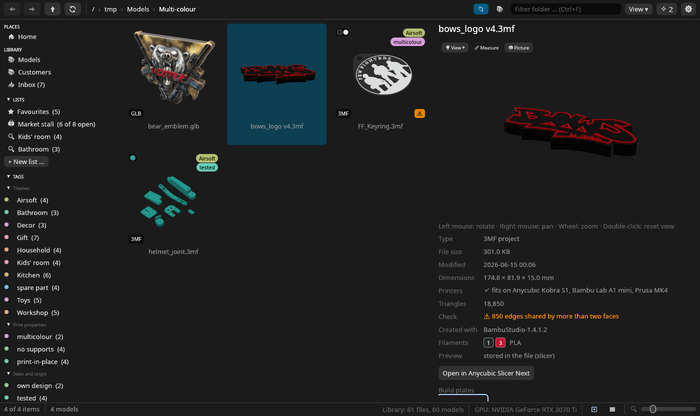
Filament colours per object and part, painted models and 3MF material colours show up in the previews and in the viewer. The plate pictures your slicer stored in a 3MF are there too; click one to see that plate in 3D.
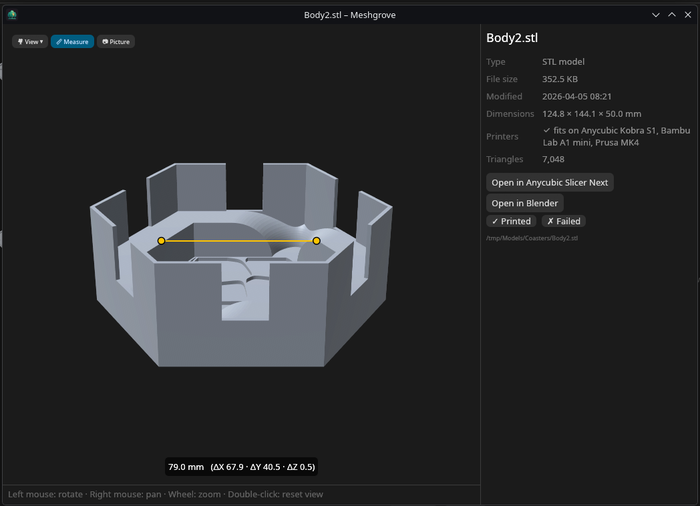
Double-click a model to open it in a window of its own. Turn it, pick a standard view, measure from point to point in millimetres, save a 2048 px picture or send it to your slicer. A 3D mouse works too.
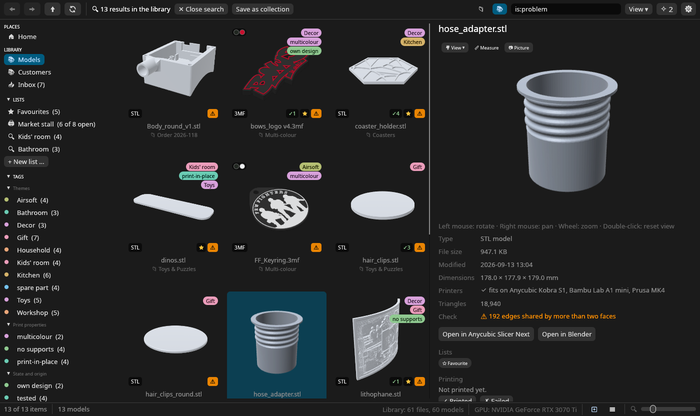
Meshgrove reads your printers from Anycubic Slicer Next, OrcaSlicer, Bambu Studio and PrusaSlicer and tells you which bed a model fits on, turned if it has to be. Every mesh is checked for holes, broken edges and odd sizes, like a part drawn in inches.
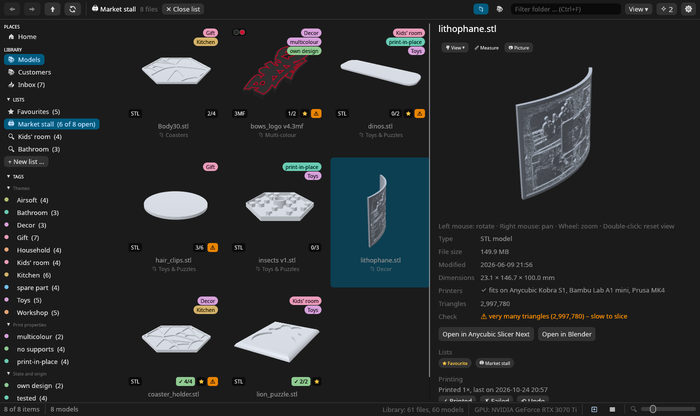
Put models on a print list with the number of copies you need, tick them off as you print and keep a log of what worked and what failed. A print list turns into a PDF checklist with pictures.
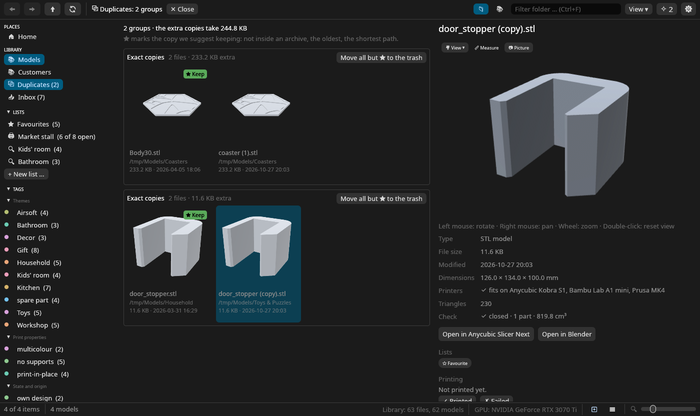
The duplicate finder spots exact copies and the same model saved differently: ASCII and binary STL, STL and 3MF, rotated or moved. It suggests which copy to keep.
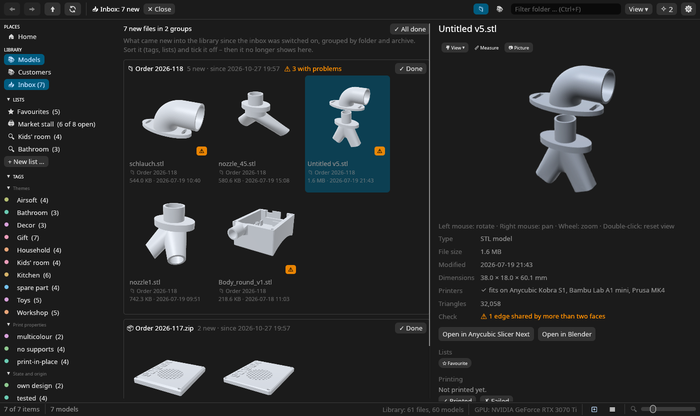
New downloads land in an inbox, grouped by the folder or archive they came in. Copies of models you already have are counted apart.
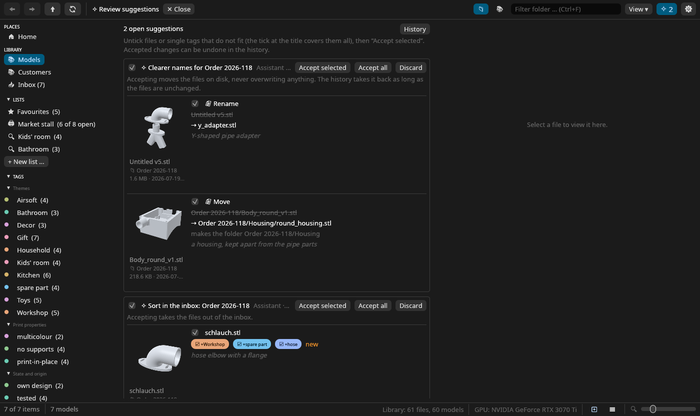
Meshgrove has no AI of its own, and AI stays off until you switch it on. Then your assistant (Claude, LM Studio, Cursor and others) can search the libraries you open to it and suggest tags, notes, lists and moves. Nothing changes until you accept it, and everything can be undone.
Meshgrove started with one folder: about 700 STL files, 2.5 GB, and half of them called something like Body1.stl. Finding a part meant opening file after file in the slicer. The model managers we tried wanted to import everything into a library of their own first.
So we wrote the program we wanted. It leaves the folders alone, shows everything at once and stays quick with a 200 MB model. We use it every day for our own prints, and we keep adding what we miss.
DonDavis & Rec0iLGerman Redneck Engineering
Version 0.6.0, released 26 October 2026. The files come straight from the GitHub release.
0a444f1aeaca617ed162ab3794c83195d80278deef022e2692dfe6ef6301d8b05b4fa5b2a4c8e1449263bd4fc1ac4dbbd357bc9c5303a4635cfd1e968f198623153f6cd5d7137241d56afe8cf6d0b7d9024f9019ea7c33e2434f650951157693e46a777b082be011439ac499075ed421871e05d63f4a397c192590e616243a8de09c286ed6f391632c38c87ba592ee4b7998704dbdd8ad8ce9a7a12b2531a124The packages add a menu entry and file-manager thumbnails. The AppImage brings everything it needs but adds neither.
031c33d3af38ee78100c5b8c2c4d8b00f039d38bcb36e322a81be8ce8fc0541d4e2dfb0578b4ce5bf7b1906bb0db3835c36ab7a8723ed49d260b6cd4d5c496117a459b4e17449172fafcb9005976255e1f570bbd11d196b3de9191b233a64c17Linux is where Meshgrove is made and used every day. The Windows and macOS builds are built and tested automatically, but they are new, so please tell us when something is off.
Release notesAll releasesSource codeLicense: GPL-3.0-or-later